Free Laser-Cut Lantern Maker for Holidays
Design laser-cut holiday lanterns online: finger-joint walls with glowing cut-out art, free designs or custom AI themes, SVG, DXF and LightBurn files.
How do you make a laser-cut holiday lantern?
Open the Holiday Lantern mode in Box Maker, enter the inside size and your measured material thickness, then pick a free design or describe a custom theme. Download flat-packed SVG, DXF or LightBurn panels: four finger-jointed walls with framed cut-out art on a base, plus an optional LED tea light holder, lid, handle and paper diffusers. Floating pieces are bridged automatically.
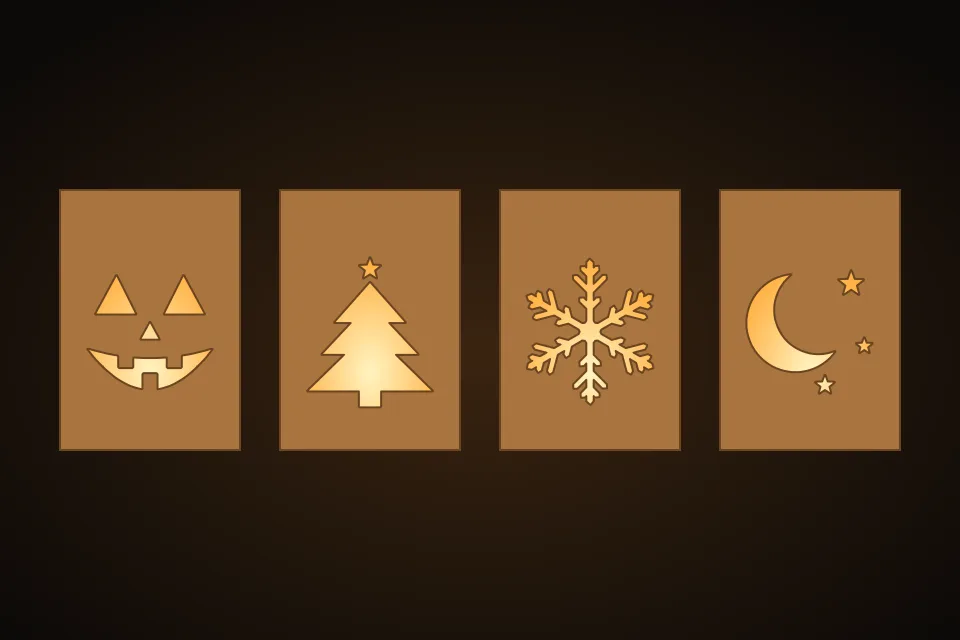
Lantern Maker at a glance: inputs, outputs, limits and cost
| Input | Inside width, depth and height, material thickness, kerf and a design |
|---|---|
| Output | Flat-packed SVG, DXF and LightBurn files with inner cuts on their own layer, plus a lit 3D preview |
| Designs | A free library of Christmas, winter, Halloween, fall, Valentine's and Hanukkah designs, or a custom AI theme |
| Cost | Library designs and every export are free; a custom AI theme is 6 credits |
| Limits | Use an LED tea light, never a flame. Very fine artwork needs a bigger lantern or thicker stock; the preview marks wood that may snap in red. |
What does the Lantern Maker build?
- Four finger-jointed walls with arched or rectangular windows of cut-through art, on a finger-jointed base.
- Free designs for Christmas, winter, Halloween, fall, Valentine's Day and Hanukkah, or a custom theme that wraps around all four walls.
- Optional LED tea light holder, top ring or lid with a pumpkin stem or hanging loop, and paper diffusers on their own layer.
- Every piece stays attached: floating wood is bridged and wood too thin to hold is flagged before you cut.
Open Free Laser-Cut Lantern Maker for Holidays — Free to Start See Real Results →
Related Tools & Guides
Frequently Asked Questions
Is the Lantern Maker free?
Yes. The design library, the lantern geometry and every SVG, DXF and LightBurn export are free, with no account needed. Only a custom AI theme costs credits (6 credits), refunded automatically if the drawing fails.
Can I put a candle in it?
Use an LED tea light. The lantern is wood, and an open flame inside it is a fire risk. The tea light holder fits a standard 38 mm LED tea light and has a finger hole underneath for the switch.
What material should I cut it from?
Start with 3 mm plywood or MDF. Enter the measured thickness so the finger joints close, and glue vellum or tracing-paper diffusers inside for a softer glow.
Will the cut-out art fall apart?
No. The Lantern Maker keeps every piece of wood attached to the frame, adds bridges where a shape would float, and marks wood thinner than your material can hold in red so you can enlarge the lantern first.
Privacy Policy| Terms of Service| Refund Policy| Contact and Support