Free Finger-Joint Box Maker for Laser Cutters
Design precision laser-cut boxes online with kerf-compensated finger joints. Generate SVG cut files for gift boxes, enclosures, and custom storage.
How do you make a finger-joint box file for a laser cutter?
Enter the box width, depth and height, your measured material thickness and your laser kerf in Box Maker, check the assembled 3D preview, and download flat-packed SVG or DXF panels. Kerf compensation keeps the fingers snug instead of loose by one beam width per joint. Box Maker is free, runs in the browser and needs no account.
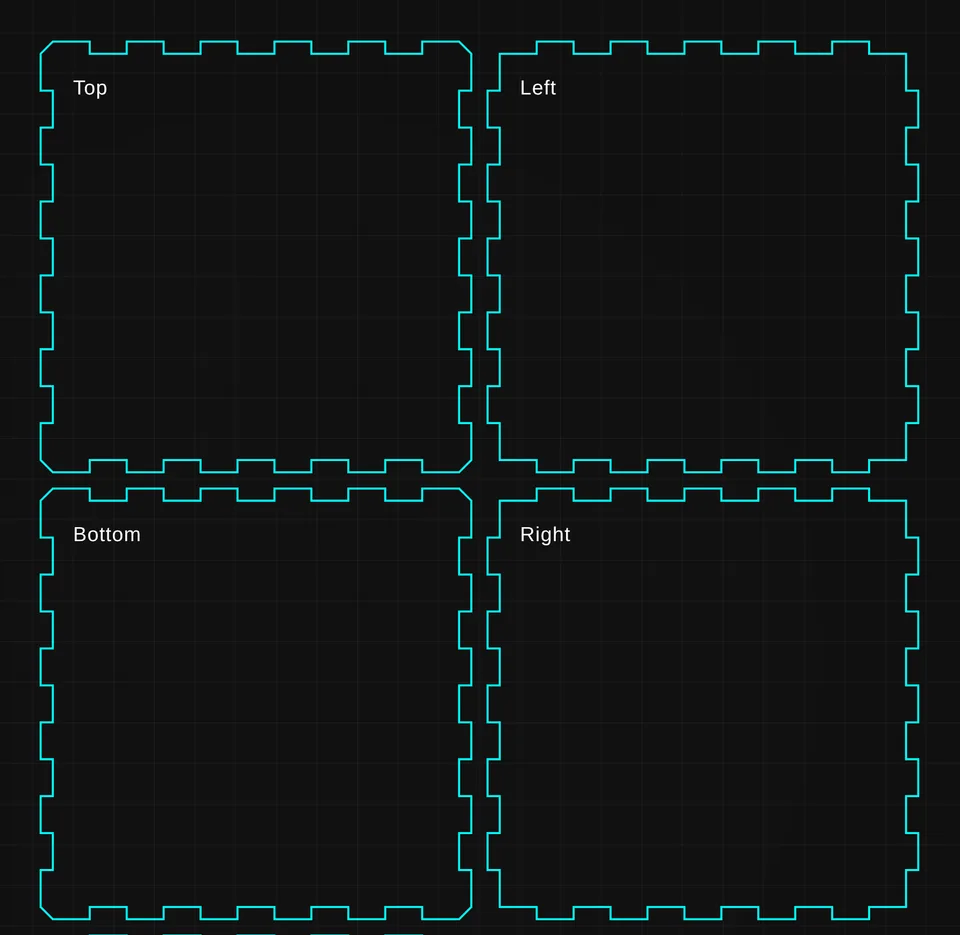
Box Maker at a glance: inputs, outputs, limits and cost
| Input | Width, depth, height, material thickness and kerf |
|---|---|
| Output | Flat-packed SVG and DXF cut files, with an assembled 3D preview before download |
| Works with | LightBurn, EZCAD and any laser software that imports SVG or DXF |
| Cost | Free: no account, no credits, no watermark and no export limit |
| Limits | Measure thickness with calipers. Nominal 3 mm plywood is often 2.7 to 3.2 mm, and joints will not close if the entered thickness is off by more than about 0.2 mm. Typical kerf is 0.1 to 0.2 mm. |
What does Box Maker cut?
- Parametric width, depth, height, material thickness, and kerf compensation.
- Finger-joint panels preview as an assembled 3D box before you download.
- Exports flat-packed SVG and DXF cut files for any laser.
- Completely free — runs in your browser with no credits or account.
What Operators Say
“I love this software!”
“This is the easiest I have seen.”
“Reticle Red is becoming one of my favorite software to use. It has a lot of tools that many others do not, and approaches things differently to create more consistent results. A++”
“Reticle Red definitely takes the guess work out of your design work with tutorials to walk through the process. I highly recommend it.”
Open Free Finger-Joint Box Maker for Laser Cutters — Free to Start See Real Results →
Related Tools & Guides
Frequently Asked Questions
Is Box Maker really free?
Yes — completely free, in your browser, with no account and no credits. There is no watermark and no export limit.
What is kerf and why does the box need it?
Kerf is the width of material the laser burns away, typically 0.1–0.2mm. Box Maker compensates for it so finger joints press together snugly instead of ending up loose by exactly one beam width per joint.
How do I measure material thickness correctly?
Measure with calipers rather than trusting the nominal size — "3mm" plywood is routinely 2.7–3.2mm, and finger joints will not close if the entered thickness is off by more than about 0.2mm.
What files does Box Maker export?
Flat-packed SVG and DXF cut files that import into LightBurn, EZCAD, and any other laser software. You can preview the assembled 3D box before downloading.
Privacy Policy| Terms of Service| Refund Policy| Contact and Support