Watch & Learn — Laser Design Video Tutorials
Watch Reticle Red in action: video tutorials and demos for The Fabricator, Coin Designer and fiber lasers. Learn the AI laser design workflow on YouTube.
Which laser design videos are in the library?
- Video walkthroughs of The Fabricator, Coin Designer, and Image Lab workflows.
- Fiber and MOPA technique demos from real machines.
- Each walkthrough follows the complete operator path from source artwork and tool controls through cleanup, scale checks, export, and the final handoff into laser software.
- Use the chapter sequence to reproduce one decision at a time, then validate dimensions, focus, material settings, and layer assignments on matching scrap before a customer run.
- Written tutorials accompany the video library when you need searchable settings, exact checkpoints, or a quiet step-by-step reference beside the machine.
- New videos added as tools ship — subscribe on YouTube for updates.
Video tutorials
-
 The Fabricator
A full tour of the Style DNA pipeline — load a canvas, paint a mask, prompt, generate, and export burn-ready art.
4:51 ·
-
 The Fabricator on Mobile
Run the whole pipeline from your phone — paint a mask and generate laser-ready designs on the go.
3:15 ·
-
 Coin Designer Walkthrough
Forge a challenge coin from a flat logo into a 3D-engraved medallion in a couple of minutes.
1:22 ·
-
 Master Chief Challenge Coin Engrave
A custom challenge coin comes to life on the laser — design to finished engrave.
0:41 ·
-
 SFC3030 Desktop Fiber Laser Cutter
A hands-on look at the desktop fiber cutter and how a Reticle Red design goes straight to cut.
0:51 ·
-
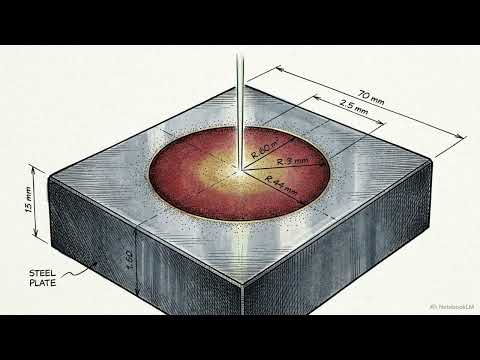 MOPA Technical Deep Dive
How MOPA fiber color-marking actually works — frequency, speed, and the science behind the color.
5:40 ·
Find the Right Laser Tool for Your Job See Real Results →
Related to Watch & Learn
Frequently asked questions about Watch & Learn
Do I need an account to watch the tutorials?
No. Every video is public on the Reticle Red YouTube channel and embedded here; an account is only needed when you open a tool and spend credits on a paid generation.
Which tools have video walkthroughs?
The Fabricator, Coin Designer, Image Lab, Depth Studio and the fiber and MOPA setup demos each have a full walkthrough, and new videos are added alongside major releases.
Where do I find the written version of a video?
Each tool has a matching written tutorial and Field Manual section that follows the same steps, so you can pause the video and read the exact control names and export settings.
Privacy Policy| Terms of Service| Refund Policy| Contact and Support