From Blank Part to LightBurn, xTool and EZCAD Files
Watch the 3:07 The Fabricator tutorial: From Blank Part to LightBurn, xTool and EZCAD Files with a step-by-step PDF guide and the tool one click away.
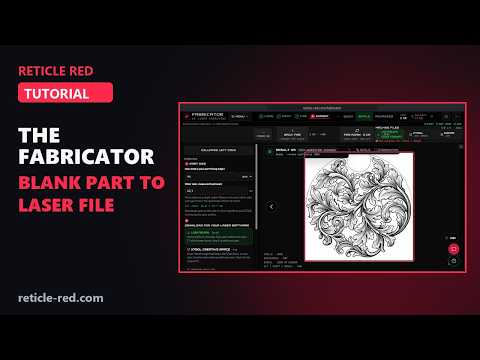
In this tutorial
- QUICK, SIMPLE and ADVANCED: switch to SIMPLE for the full step-by-step Fabricator
- LOAD: upload a part, Try the Sample Part, or Part Templates (here the Round Keychain, 50 mm)
- PAINT: the red art zone, FILL OUTLINE, BRUSH, BUCKET and ERASE; the ring hole stays clear
- FIRE: Style DNA (American Scroll, or ALL 237 styles) plus your own prompt details
- QUALITY & FINISH: DRAFT 2 · STANDARD 5 · FINEST DETAIL 8 · MAX DETAIL 10 CR, OUTLINE or SOLID FILL
- SHOW ALL TOOLS · FREE and the Run Plan: engine, price, parts and output size before anything runs
- FIRE · 2 CR with the "Confirm credit use" box showing your balance before and after
- EXPORT: FIRE AGAIN, Part size (44 mm from the template) and the downloads: LightBurn .lbrn2 (44.00 × 43.69 mm, part outline on tool layer T1), xTool .svg (44 × 44 mm, red locate outline), EZCAD .zip (DXF in mm, LOCATE_OUTLINE pen) and Art PNG
- SHOW OPTIONAL TOOLS and RETURN TO SIMPLE
Chapters
- 0:00 Intro
- 0:15 QUICK, SIMPLE or ADVANCED
- 0:26 Load your part
- 0:42 The art zone
- 0:57 Style DNA
- 1:08 Quality & Finish
- 1:23 Show All Tools · Free
- 1:39 FIRE
- 1:53 The result
- 2:09 Part size
- 2:35 Show Optional Tools
- 2:52 Wrap-up
What the The Fabricator tutorial covers
- 0:15 — QUICK, SIMPLE or ADVANCED
- 0:26 — Load your part
- 0:42 — The art zone
- 0:57 — Style DNA
- 1:08 — Quality & Finish
- 1:23 — Show All Tools · Free
- 1:39 — FIRE
- 1:53 — The result
- 2:09 — Part size
- 2:35 — Show Optional Tools
Find the Right Laser Tool for Your Job See Real Results →
Privacy Policy| Terms of Service| Refund Policy| Contact and Support