See Laser Art on Your Own Knife Photo: Mask, Fire & Layers
Watch the 2:20 The Fabricator tutorial, recorded on the live site, with chapters, a step-by-step PDF guide and a link to open the tool. Free to watch.
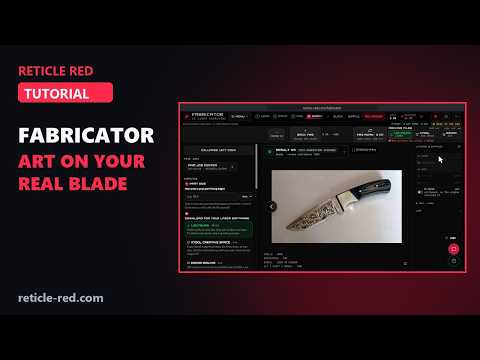
In this tutorial
- LOAD: upload a photo of the knife
- PAINT: pick PEN and click around the blade, from the tip to the bolster, then close the loop (the red art zone)
- FIRE: open Style DNA and pick Art Nouveau (Scrollwork & Ornamental)
- Pick the FORGE 2.0 engine (5 credits); the price is on the FIRE button, and FIRE asks you to confirm with your balance before and after
- EXPORT: the art alone, black on white, as it will burn
- LAYERS & STATUS: turn on PART to see the art in place on your photo, ART ZONE to see the masked area, and ART off and on to compare
- PART SIZE, then LightBurn, xTool or EZCAD for a true-size download
Chapters
- 0:00 Intro
- 0:16 Upload a photo of the knife
- 0:31 Trace the blade with Pen
- 0:52 Pick a Style DNA
- 1:02 Pick an engine
- 1:21 Your art, then the Part and Art Zone layers
- 1:59 Download for your laser
What the The Fabricator tutorial covers
- 0:16 — Upload a photo of the knife
- 0:31 — Trace the blade with Pen
- 0:52 — Pick a Style DNA
- 1:02 — Pick an engine
- 1:21 — Your art, then the Part and Art Zone layers
- 1:59 — Download for your laser
Find the Right Laser Tool for Your Job See Real Results →
Privacy Policy| Terms of Service| Refund Policy| Contact and Support