AI Grip, Magazine & Slide Engraving Patterns
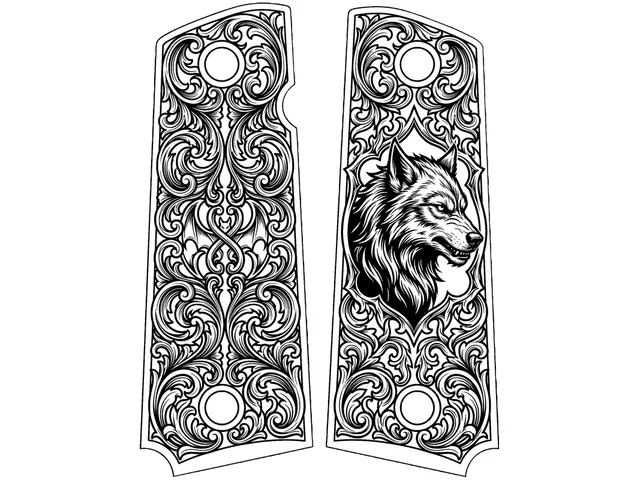
Generate engraving-ready AI artwork in a painted Art Zone that follows the real part — PMAG panels, slides, grips — with every hole clear. Mono or MOPA.
What does The Fabricator generate?
- Paint the part, get art shaped to it. Holes and edges stay clear, and a failed run refunds automatically.
- Download a LightBurn .lbrn2, an xTool Studio SVG, an EZCAD ZIP, an editable Vector SVG or a transparent Art PNG straight from the Fabricator.
- PMAG TONES keeps a colour design to the tones a fiber or MOPA laser can actually make on a polymer magazine (bleach white, bone, greys and tan), so the preview is what you get; the unmarked magazine is the ground and never exported.
- MASTER COLOR draws your chosen palette with the MASTER engine: fuller scenes that stay inside the mask, one LightBurn layer per colour.
- Multi-panel parts are priced before you fire: a packed sheet bills as one run, and one hero in each panel bills per panel. If any panel fails, the whole charge is refunded.
- Paint an art zone on a photo or an existing design, and the engine fills only that zone while everything outside it stays untouched.
- Style DNA library references to ensure visual consistency across branding sets.
- Art follows the real part outline — PMAG and magazine panels, slides, receivers, grips, knife blades — and every hole, slot, port and trigger guard stays clear.
- MOPA Color Mode separates a design into one LightBurn layer per color, so a multi-color mark arrives ready to assign settings and run.
- Multi-panel jobs register and reassemble every panel against its own exact outline, so a set marks as one design across separate parts.
- One-click export of raster and vector-ready files compatible with LightBurn and EZCAD.
Customer quotes
Named Reticle Red customers, quoted from their own public posts with permission. They describe the platform as a whole, not one tool, and they are not ratings.
“I love this software!”
“This is the easiest I have seen.”
“Reticle Red is becoming one of my favorite software to use. It has a lot of tools that many others do not, and approaches things differently to create more consistent results. A++”
“Reticle Red definitely takes the guess work out of your design work with tutorials to walk through the process. I highly recommend it.”
Open AI Grip, Magazine & Slide Engraving Patterns — Free to Start See Real Results →
Related Tools & Guides
Frequently Asked Questions
What file formats does The Fabricator export?
LightBurn .lbrn2, xTool Studio SVG, EZCAD ZIP (a DXF plus a pen table), an editable Vector SVG and a transparent Art PNG, all from the Download card at the Part Size you type. Inspect dimensions, tones and vector paths in your laser software and test on scrap before engraving.
Do I need design experience to use The Fabricator?
No. Upload a photo or surface image, paint a mask over the area you want filled, pick a Style DNA reference, and generate. The AI handles the artwork — no vector or Photoshop skills required.
Which laser types does The Fabricator support?
Artwork can be prepared for CO2, fiber and diode workflows. Raster tones, traced paths and material settings require operator inspection and a test on scrap in the target software.
How many credits does a Fabricator generation cost?
Cost varies by engine tier — the Spark, Forge 2.0, Master 2.0, and Ultra generation engines run 2–10 credits per generation (SPARK 2, FORGE 2.0 5, MASTER 2.0 8, ULTRA 10). A failed run refunds automatically — the refund appears in your credit ledger within a minute.
Can I design artwork for PMAG and other magazine panels?
Yes — that is the shape of job The Fabricator is built for. You paint the panel you want filled and the art is generated to fit that exact zone, so it follows the real part instead of being a rectangle cropped to it. Use the free Outline Studio to turn a photo of the magazine into an exact outline first, and every hole, port and witness window stays clear.
Does the artwork run over holes, cutouts and trigger guards?
No. The painted zone is the manufacturing boundary and it is enforced at zero margin, so enclosed openings — trigger guards, magazine ports, screw holes, witness windows — are carved out rather than filled. Artwork that spills past the part is caught before delivery instead of being cropped and shipped.
What is Color Mode?
Color Mode generates flat vector artwork in up to eight colors you choose, then separates it into one LightBurn Scan layer per color and exports a native .lbrn2. On a MOPA fiber that means you open one file and assign your own tested per-color marking settings layer by layer, with no manual color separation. Mono engraving is unchanged and remains the default.
Privacy Policy| Terms of Service| Refund Policy| Contact and Support